为什么要做
还在做汉化组的扒图的时候,一直觉得comic walker这个站点的漫画拔起来非常麻烦,因为它自带一个阅读器界面,异步加载图片,而且无法右键,甚至在网页元素中,也无法直接保存图片(这应该是漫画网站的常见配置了),只能一个个在控制台中拖动图片至新的标签页才能加载图片并保存,十分麻烦,正好学习python中,就写了这个小工具。
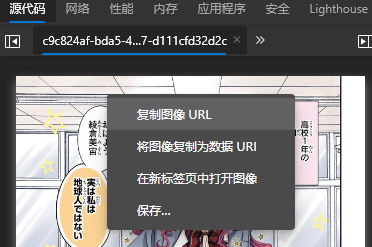
四个选项皆无法保存图片
找到真实图片的加载方式
先搞清楚漫画的图片是如何加载的,才能进行写步骤代码的操作,先进入任意漫画阅读器界面中,进入F12控制台中并使用监视器查看详细的加载步骤
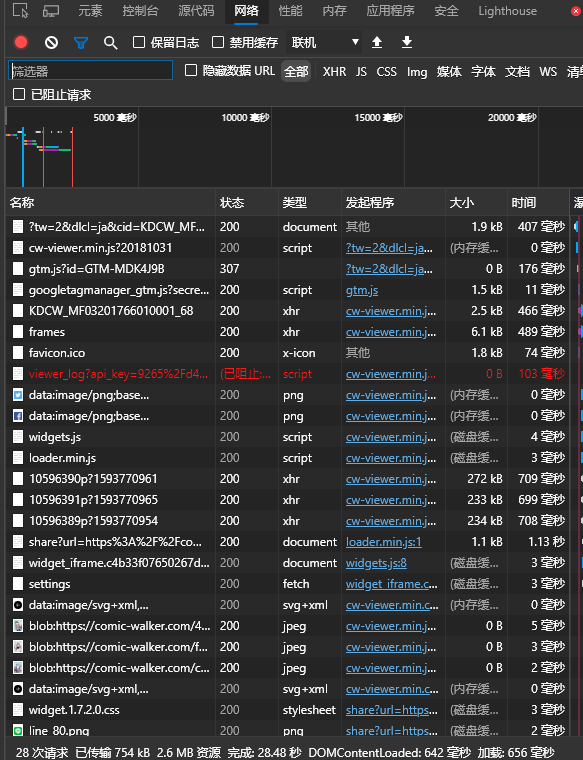
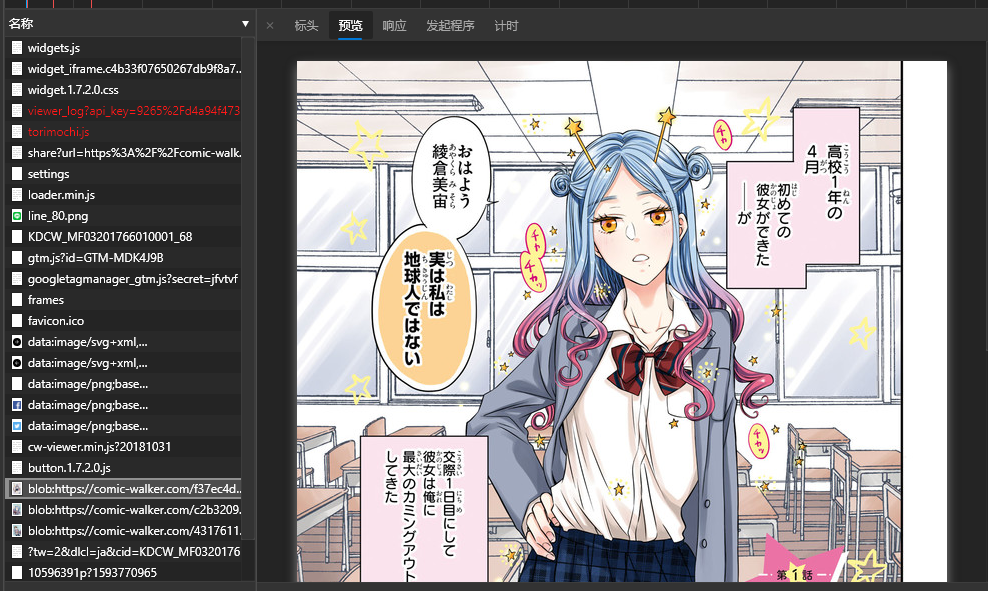
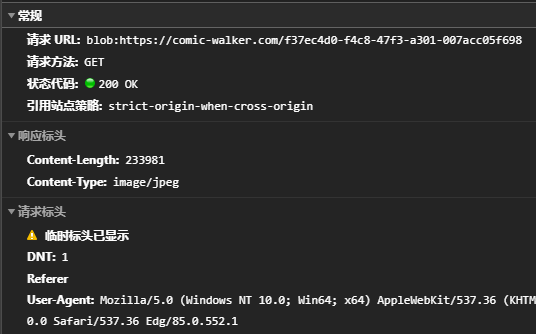
可以很容易就找到图像位置并看到具体的请求url,第一步首先尝试此url是否为图片的真实url,复制url,新建标签页,输入后回车得到404,可见请求url并非真实的图片url
得到的只是404
可以说,绝大多数常见的漫画网站基本都是把链接放在json内再各种手段加密,从而得到一个经过前端处理的图片,具体图片的请求url也是经过js随机产生的,这就是连控制台内右键都无法保存图片的原因。
再返回到控制台,可以看到三个图片下面有三个显示为奇怪的乱码的文件,且每次进行翻页的操作,这个迷之文件也和图片一起,一一对应地加载,很明显这个文件似乎跟最终图片有关,更进一步也印证了这个观点,每次刷新下,图片url都会改变,但迷之文件的url是固定的。
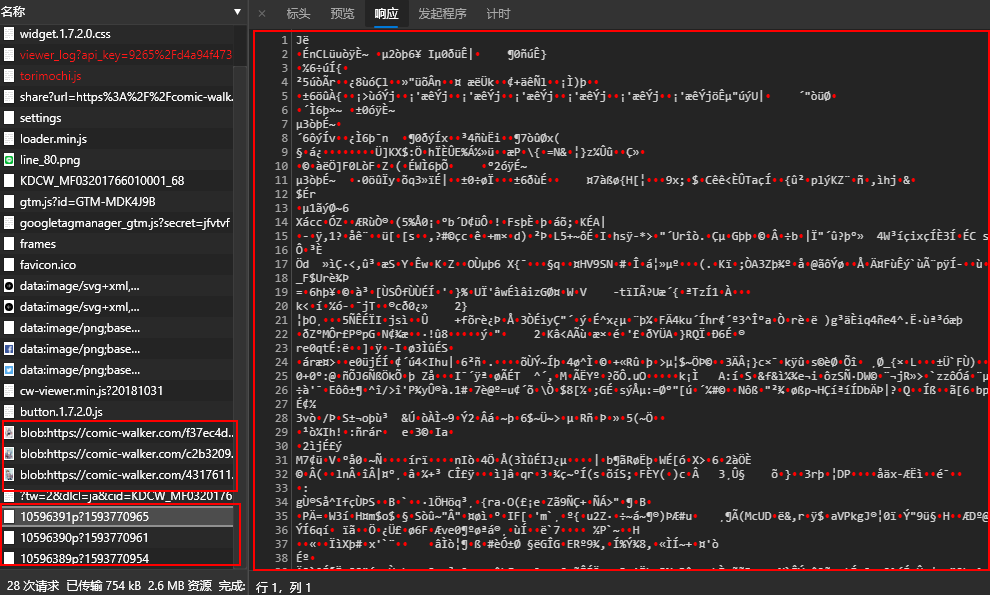
此时从json文件中下手,仔细寻找一番,可以再KDCW_MF03201766010001_68和frames这两个文件中发现储存的漫画数据
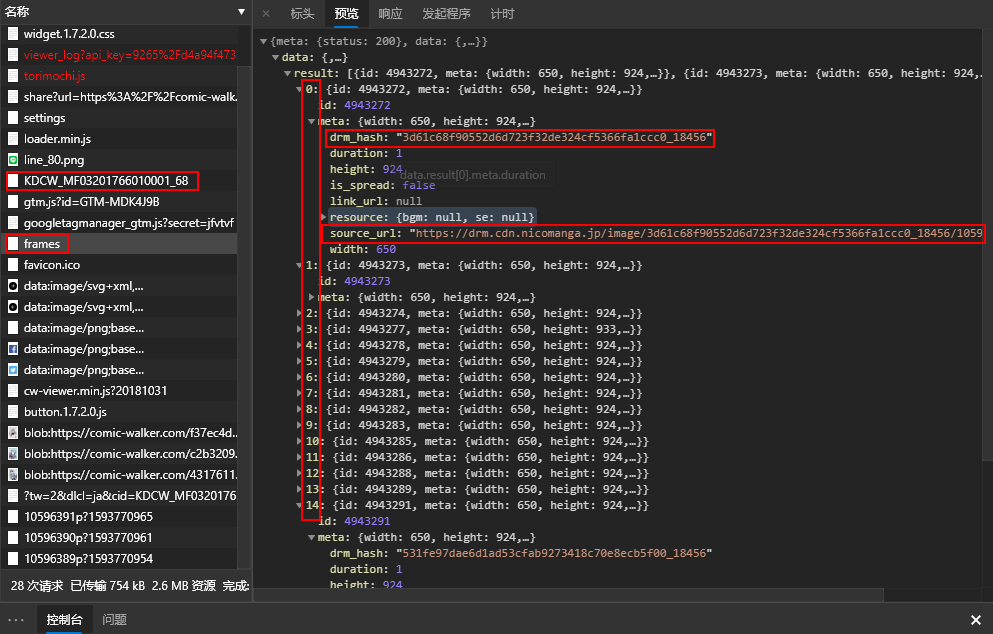
其中最重要的便是frames,里面有每个迷之乱码文件的url和一段对应的drm_hash码,很明显是用这一串hash对乱码文件进行了某种计算后才能得到原始图片
当然到了这一地步,应该是查看具体的js代码,查看具体是做了什么样的计算,但很可惜本人没有学过js,看不懂js脚本,所以试了各种方法和手段都无法得到图片
于是具体的解密方法就要请出万能的github了,经过一番搜索,我找到了一个由@vtbk 写的开源爬虫项目,其中就有对迷之文件解密的操作
具体来说,就是经过url得到的乱码文件转换为二进制文件,把hash的前16位也转化为二进制文件,再对这两个数据进行集合计算,得到两个文件中不同时存在的数据,结果的二进制文件,就是漫画原图。
开始写代码
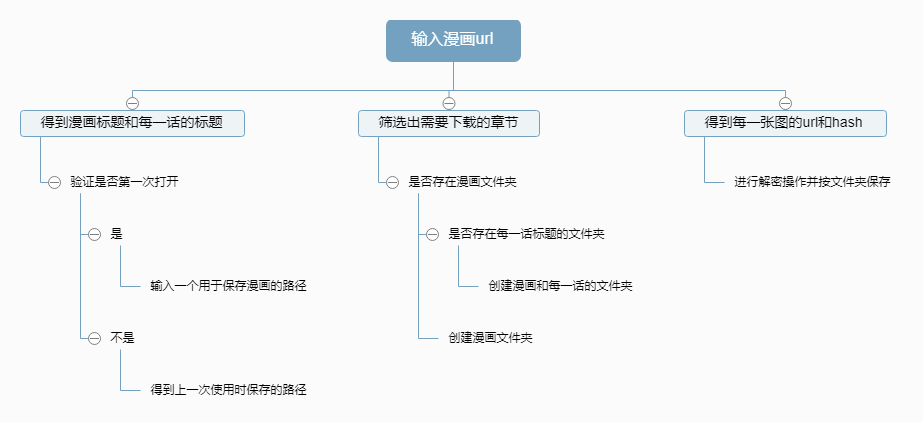
由于本代码是给仍在comic walker进行扒图操作的汉化组组员使用的,所以需要考虑到便捷性,于是有了个大致的思路
import os
import requests
import json
from itertools import cycle
from PIL import Image
from io import BytesIO
from bs4 import BeautifulSoup

#得到漫画url
def get_comic_url():
    url = input('请输入漫画所在网址\n例:https://comic-walker.com/contents/detail/KDCW_KS01200137010000_68/\n')
    return url

#传入漫画url,返回由章节标题和cid组成的字典,以及漫画标题
def get_chpter_cid_title(comic_url):
    response = request(comic_url).content
    html_text = BeautifulSoup(response,'html.parser',from_encoding='utf-8')
    souce_chapter = html_text.find(class_="ac-content-inner").find_all('a')
    comic_title = html_text.find(class_="comicIndex-box").find('h1').get_text()
    cid = []
    chpter_title = []
    for chapter in souce_chapter:
        cid.append(chapter.attrs["href"].split('=')[-1])
        chpter_title.append(chapter.attrs["title"].replace(comic_title,'').replace(' ',''))
    return dict(zip(chpter_title,cid)),comic_title

#传入漫画标题以及由章节标题和cid组成的字典,返回经过筛选的路径列表和cid字典
def check_path(comic_title:str,chpter_cid:dict):
    main_path = get_comic_path()
    title_path = os.path.join(main_path,comic_title)
    if os.path.exists(title_path):#漫画文件夹存在
        creat_chapter_path_list = []
        need_del_key = []
        for key in chpter_cid.keys():#筛选需要更新的章节
            chapter_path = os.path.join(title_path,key)
            if os.path.exists(chapter_path):
                need_del_key.append(key)
            else:
                creat_chapter_path_list.append(chapter_path)
        for key in need_del_key:
            del chpter_cid[key]
        if chpter_cid == {}:
            print('此漫画无可更新章节')
            #需要下载的字典为空,无可用更新,退出
            os.system('pause')
        print('开始在 %s 下创建以下文件夹:'%title_path)
        for creat_chapter_path in creat_chapter_path_list:#开始创建文件夹
            os.mkdir(creat_chapter_path)
            print('%s创建成功'%creat_chapter_path)
        return creat_chapter_path_list,chpter_cid
    else:#漫画文件夹不存在
        os.mkdir(title_path)
        print('开始在 %s 下创建以下文件夹:'%title_path)
        chapter_path_list = []
        for key in chpter_cid.keys():
            chapter_path = os.path.join(title_path,key)
            chapter_path_list.append(chapter_path)
            os.mkdir(chapter_path)
            print('%s创建成功'%chapter_path)
        return chapter_path_list,chpter_cid

#读取本地储存好的路径
def path_open_read():
    with open('./path.txt','r') as f:
        path = f.read()
    return path
#写入路径并保存为txt
def path_open_write(path):
    with open('./path.txt','w') as f:
        f.write(path)
    return None
#检查漫画储存路径
def get_comic_path():
    if os.path.exists('./path.txt'):
        return path_open_read()
    else:
        while 1:
            path = input('请输入存储漫画的文件夹路径:\n')
            if os.path.exists(path):
                path_open_write(path)
                return path
            else:
                print('路径不存在,请检查并重新输入')
#请求
def request(url: str):
    #headers = {'User-Agent': 'User-Agent:Mozilla/5.0 (Macintosh; Intel Mac OS X 10_12_3) AppleWebKit/537.36 (KHTML, like Gecko) Chrome/56.0.2924.87 Safari/537.36'}
    return requests.get(url)

#传入json形式的frames,得到未解密的原图
def fetch_images_as_bytes(frames):
    print('开始查找图片:')
    images = []
    i=1
    for frame in frames:
        url = frame['meta']['source_url']
        image_as_bytes = request(url).content
        images.append(image_as_bytes)
        print('查找第%d张图片'%i)
        i += 1
    print('此章节查找结束')
    return images

#传入json形式的frames,得到drm_hash码
def get_drm_hashes_from_frames(frames):
    return [frame['meta']['drm_hash'] for frame in frames]

#传入未解密的原图和hash码,返回解密后的二进制列表
def solve(sources, drm_hashes):
    images = []
    for source, drm_hash in zip(sources, drm_hashes):
        decoded_image_bytes = bytearray()
        for a, b in zip(source, cycle(bytes.fromhex(drm_hash[0:16]))):
            decoded_image_bytes.append(a ^ b)
        decoded_image = Image.open(BytesIO(decoded_image_bytes))
        images.append(decoded_image)
    return images

#按文件名和路径依次保存解密好的图片
def save(images,chapter_path):
    print('开始保存图片:')
    for i, image in enumerate(images):
        filename = str(i+1) + '.jpg'
        filename = filename.rjust(7, '0')
        filepath = os.path.join(chapter_path,filename)
        image.save(filepath)
        print('保存第%s张图片'%i)
    print('此章节保存结束')

#传入cid,得到章节frames的请求url
def get_url_frames(cid):
    url_frames = 'https://manga-api.nicoseiga.jp/api/v1/comicwalker/episodes/{}/frames'.format(cid)
    return url_frames

#运行
def run():
    print('使用时请打开代理全局模式,卡死时请直接退出并检查代理设置')
    comic_url = get_comic_url()
    chpter_cid,comic_title = get_chpter_cid_title(comic_url)
    chapter_path_list,chpter_cid_checked = check_path(comic_title,chpter_cid)
    #cid_list = [valus for key,valus in chpter_cid_checked.items()]
    i = 0
    chapter_num = len(chpter_cid_checked)
    for cid in chpter_cid_checked.values():
        url_frames = get_url_frames(cid)
        chapter_frames = json.loads(request(url_frames).content)['data']['result']
        images = solve(fetch_images_as_bytes(chapter_frames), get_drm_hashes_from_frames(chapter_frames))
        save(images,chapter_path_list[i])
        i += 1
        if i == chapter_num:
            print('漫画保存完毕')
        else:
            print('剩余{}个章节'.format(chapter_num-i))

run()
os.system('pause')
由于环境和IDE的问题,把所有功能都放在了一个文件下,并打好包后传给了组员,进过几次尝试之后,下载成功。
存在的问题
- 检测到本地path.txt文件后没有验证里面的路径是否存在
- 对网络环境要求苛刻,需要全局代理
- 下载与保存是按每一话而不是每一张图,导致错误后维护性差
目前来说,作为一个小汉化组自用的小工具是够用了,后续或许会更新其他站点的爬取规则